How to Run In-Ear Monitors for Your Band with the Behringer X AIR XR18
· 5 min read · Party Backline
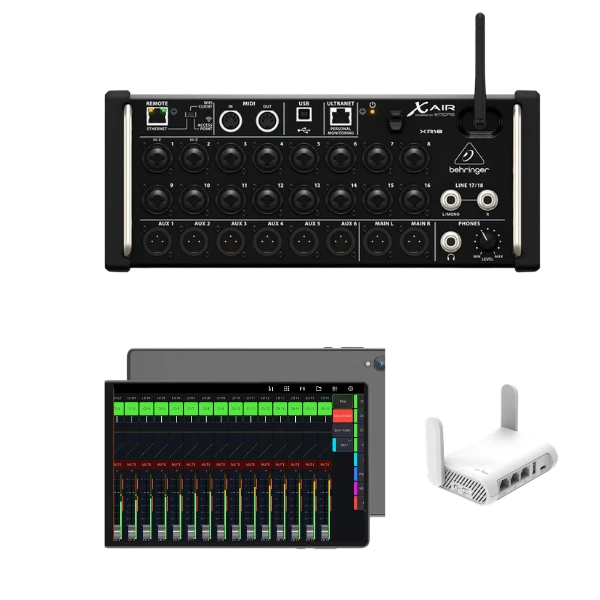
In-ear monitors (IEMs) give every musician their own personalised mix straight into their ears. That means no loud wedge speakers on stage, less feedback, a cleaner front-of-house sound and better hearing protection. The Behringer X AIR XR18 is one of the most popular mixers for running band IEMs, because it packs 16 inputs, 6 aux buses and Wi-Fi control into a compact box. Here's how to set it up.
Why the XR18 works so well for in-ear monitors
- 16 mic/line inputs with Midas-designed preamps, enough for a full band including drums.
- 6 aux buses with XLR outputs for up to 6 mono or 3 stereo monitor mixes.
- Wireless control from a tablet, laptop or phone, so each musician can adjust their own mix.
- EQ and dynamics on every bus, so you can shape and limit each in-ear mix.
- Built-in USB audio interface to multitrack-record your gig at the same time.
When you hire the XR18 from us ($50 per event), it comes with a tablet preloaded with the Mixing Station app and a dedicated Wi-Fi router.
Step 1: Plan your inputs
Start by listing every source. Here's a typical 5-piece band that fits the XR18's 16 inputs exactly:
| Inputs | Source |
|---|---|
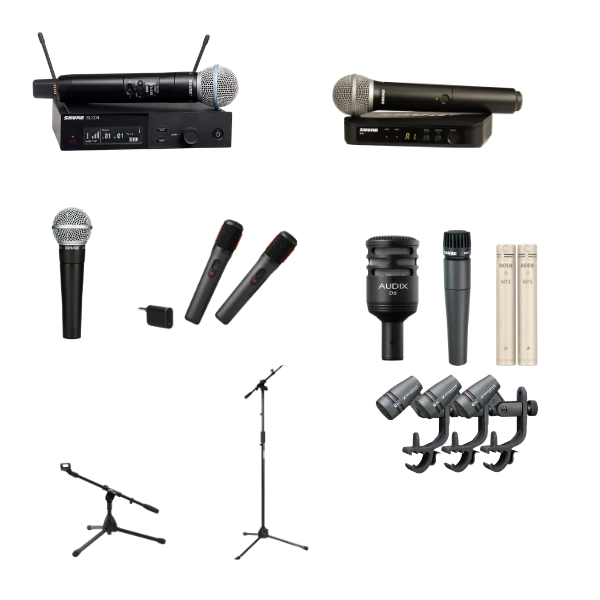
| 1–7 | Drums: kick, snare, 3 toms, 2 overheads (see our drum mic set) |
| 8 | Bass (DI) |
| 9 | Guitar amp mic |
| 10–11 | Keys (stereo DI) |
| 12–14 | Lead and backing vocals (e.g. Shure SM58) |
| 15–16 | Ambient mics facing the audience |
Don't skip the ambient mics. In-ears block out most outside sound, which can make musicians feel cut off from the room. A pair of mics facing the crowd, blended lightly into each in-ear mix, brings back the room and the applause.
Step 2: Decide on mono or stereo mixes
Each aux bus is one mono mix. Stereo in-ear mixes sound noticeably more natural, because you can pan instruments left and right and keep each one clear at a lower volume. Link aux buses in pairs to make stereo mixes:
- 3 stereo mixes: for example the vocalist, the drummer and a shared mix for the rest of the band.
- 6 mono mixes: one personal mix for each of up to 6 musicians.
- Mixed: 2 stereo plus 2 mono, giving 4 musicians their own mix.
Step 3: Set the monitor sends to pre-fader
Set each aux bus send to pre-fader. That way, when the front-of-house engineer moves a channel fader to balance the room, the musicians' in-ear mixes don't change. In-ear mixes should only change when the musician asks for it.
Step 4: Get the gain right first
Set each channel's input gain during soundcheck with the musician playing at full performance level, aiming for healthy levels without clipping. Every mix on the XR18, front-of-house and in-ears, starts from this gain, so getting it right first saves constant adjustments later.
Step 5: Build each in-ear mix
- Start with the musician's own instrument or voice, then add only what they need to hear to play in time and in tune.
- Pan in stereo mixes to mirror the stage layout, which reduces clutter.
- Add a little reverb to vocals in the singer's mix. A completely dry voice in your ears feels unnatural and can affect pitch.
- Blend in the ambient mics so the band can hear the crowd.
Step 6: Protect everyone's hearing
In-ears sit right next to the eardrum, so a sudden loud bang (a dropped mic, an unplugged cable) can be painful. Put a limiter or compressor on each aux bus as a safety net, start every mix at low volume and bring it up slowly, and remind musicians to turn their beltpacks down before putting in their earpieces.
Step 7: Let musicians mix themselves
Connect each musician's phone or tablet to the mixer's network and open a mixing app such as Mixing Station. Apps like this can be set so that a device only controls one specific mix, which means the drummer can turn up the bass in their ears without touching anyone else's mix or the front-of-house sound.
Step 8: Make the Wi-Fi rock solid
The XR18 has a built-in Wi-Fi access point, but in a busy venue full of phones its range and stability can suffer. For a reliable connection, connect the XR18 by cable to a dedicated router and connect your devices to that. That's why our XR18 hire includes its own router. Place the router with a clear line of sight to the stage, away from the PA amplifiers.
Wireless vs wired in-ear monitors
- Wireless IEM systems are best for singers and guitarists who move around the stage. Each aux output feeds a transmitter, and each musician wears a receiver beltpack.
- Wired belt-pack headphone amps are a simpler, cheaper option for musicians who stay put, like drummers and keyboard players. Run a cable from the XR18 aux output to the beltpack.
Bonus: record your gig
Connect a laptop over USB and the XR18 works as a multichannel audio interface, so you can record every input of your show on separate tracks for mixing later, or for a virtual soundcheck next time.
Hire the XR18 for your next gig
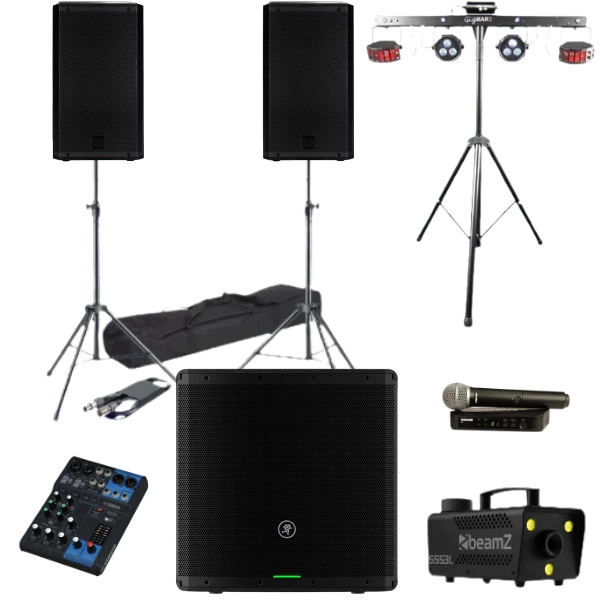
The Behringer X AIR XR18 is available for $50 per event with tablet and router included. Pair it with our drum microphones, vocal mics and mic stands, and a speaker set sized for your venue. Our PA sizing guide can help you choose.